Commit Graph
The commit graph is ichi’s home view — it’s what you see when the app opens and what g always returns you to. It renders your history as a graph, newest commit at the top, with branch and merge lines drawn alongside.
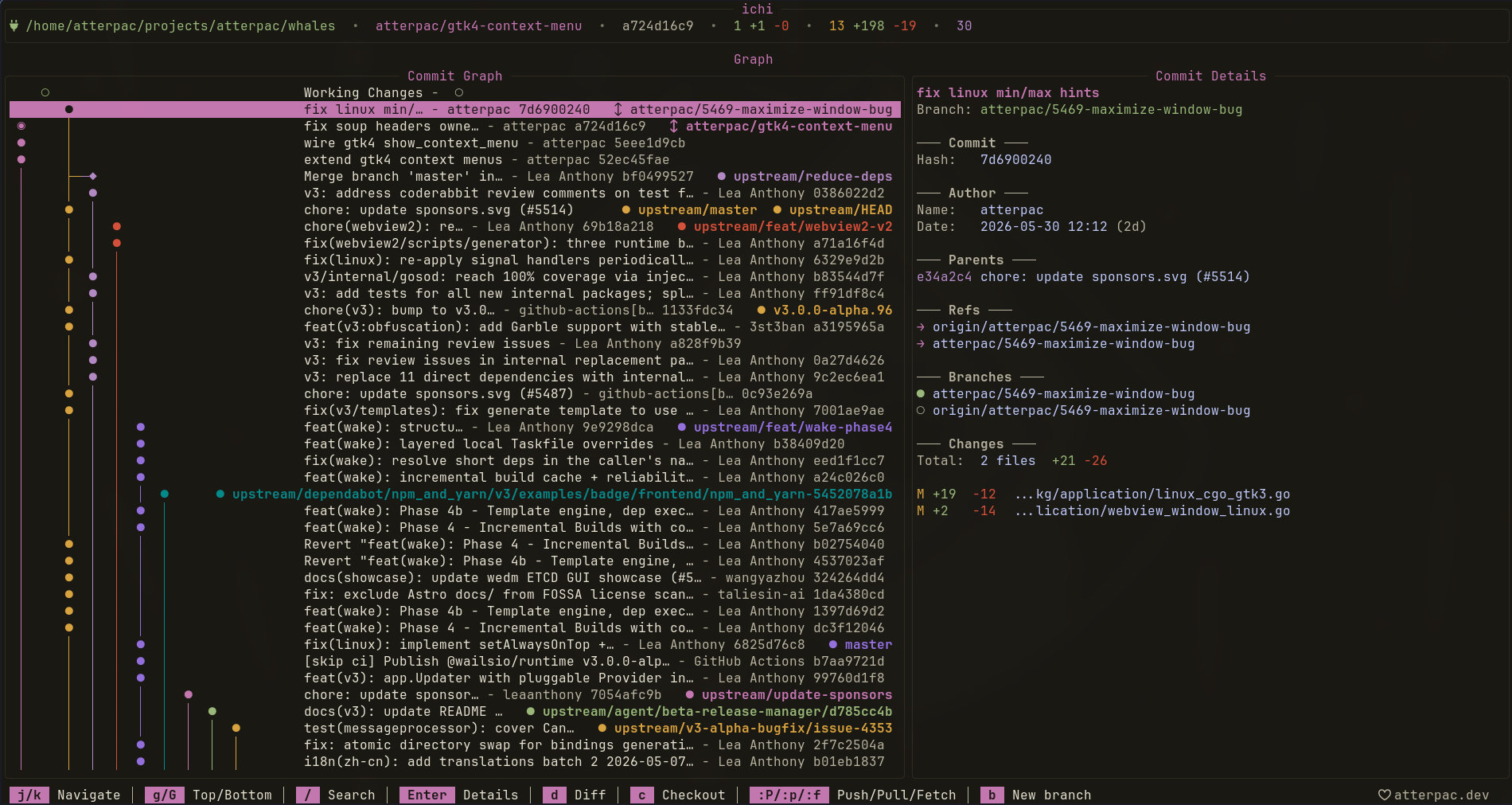
Navigating
Section titled “Navigating”| Key | Action |
|---|---|
| j / k | Move between commits |
| g / G | Jump to top / bottom |
| / | Search the log |
| Enter | Open commit details |
Acting on a commit
Section titled “Acting on a commit”With a commit selected, you can act on it without leaving the graph:
| Key / Command | Action |
|---|---|
d / :diff | View the commit’s diff |
c / :checkout | Check out the commit |
| y | Copy the commit hash to the clipboard |
:pick | Cherry-pick the commit onto the current branch |
:revert | Create a commit that undoes it |
:reset | Reset the current branch to it (soft) |
Press : to run any of the command-line actions against the highlighted commit. See the full list in Keybindings & Commands.
From here
Section titled “From here”- Press s for Status & staging.
- Press b for Branches.
- Press Enter on a commit, then explore its diff.